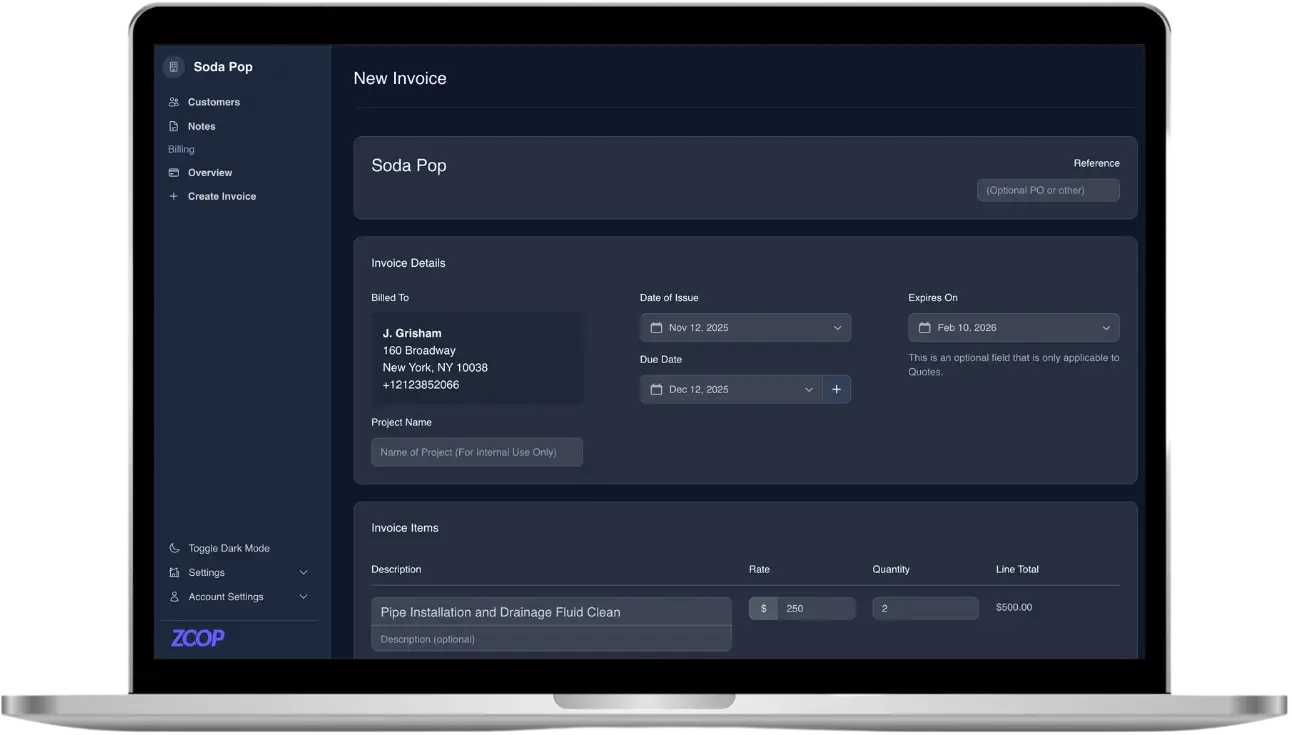
If you do the same work for the same customers on a schedule, chasing each invoice by hand is costing you hours and slowing down your cash. Recurring billing fixes that. You set the price and the cycle once, and the system handles the invoicing and the collection every period after. This guide walks you through how to set up recurring billing for your service business the right way, so you stop re-typing line items and start getting paid on time.
What recurring billing actually means for a service business
Recurring billing is any arrangement where a customer is charged on a repeating cycle without you having to build the invoice from scratch each time. For home-service trades, it usually shows up in one of two shapes:
- Recurring invoices. The system sends the same invoice on a set schedule, weekly, monthly, or quarterly, and the customer pays each one. Good for steady work where you still want a clear invoice every cycle, like a monthly maintenance retainer.
- Memberships and recurring plans. The customer authorizes auto-pay once, then gets charged automatically each cycle. Good for service plans, maintenance memberships, and anything you want billed hands-free with a saved payment method on file.
The difference matters. A recurring invoice still asks the customer to pay; a recurring plan with authorized auto-pay charges them automatically. Most service businesses end up using both, depending on the customer and the kind of work.
Which of your jobs belong on recurring billing
Before you set anything up, look at your customer list and flag the work that repeats on a predictable cycle. That is where recurring billing pays off fastest. Common candidates across the trades:
- Lawn care and landscaping on a weekly or biweekly route
- Pool, spa, and pond service visits
- Pest control and quarterly treatments
- HVAC and plumbing maintenance plans
- Cleaning, window washing, and recurring janitorial contracts
If a customer is on a route or a plan and you already know roughly what you will bill them each visit, they belong on recurring billing. One-off repairs and quotes do not, keep those as standard invoices.
Step 1: Build a clean pricebook first
Recurring billing is only as accurate as the prices behind it. Before you automate anything, set up a pricebook with your standard services as line items: the visit, the materials, the add-ons. Set your tax rates once so every recurring invoice calculates the right total automatically. When your pricing lives in one place, building a recurring invoice or a plan is a matter of dropping in line items, not re-typing them and hoping you remembered the tax.
Step 2: Connect a payment processor
To collect money automatically, you need a connected payment account. With Zoop, that is Stripe Connect onboarding, a short setup that lets you accept cards and bank or ACH payments, with Apple Pay and Google Pay surfaced automatically at checkout. Customers can pay from a secure signed payment link on their phone, no login or app required, and their card can be saved so the next cycle is hands-free.
You can still record offline payments too. If a customer pays a recurring invoice with cash, check, Zelle, Venmo, or Cash App, you mark it paid manually so your books stay accurate. The goal is one source of truth for what has been billed and what has been collected.
Step 3: Choose recurring invoices or a recurring plan
This is the decision that shapes the rest of your setup. Use recurring invoices when you want a clear, payable invoice to land every cycle and the customer to pay it, by card, bank transfer, or one of your offline methods. Use a recurring plan when the customer is happy to authorize auto-pay once and let the charge run automatically each period against their saved payment method.
A simple rule of thumb: residential maintenance memberships and route-based service work great as recurring plans with auto-pay, because the customer wants it off their plate. Commercial accounts that need an invoice for their own bookkeeping often prefer recurring invoices they pay each cycle.
Step 4: Set the cycle, the amount, and the start date
Now configure the actual schedule. Pull your line items from the pricebook, confirm the tax rate, and set the billing frequency to match the work: weekly for a mowing route, monthly for a maintenance plan, quarterly for pest treatments. Pick a start date that lines up with when the service actually begins. If you bill in advance, set the first invoice or charge to go out before the first visit; if you bill in arrears, set it for after.
For memberships, this is also where authorized auto-pay comes in. The customer approves the recurring charge once, and from then on each cycle bills the saved payment method without you lifting a finger.
Step 5: Tie billing to the schedule
Recurring billing works best when the money follows the work. If you run recurring job series on a calendar, a weekly lawn route or a monthly maintenance visit, line the billing cycle up with the job series so an invoice or charge corresponds to actual visits. With jobs on a day, week, or month calendar and a dispatch board for your crews, you can see the work and the billing as one connected loop instead of two systems you reconcile by hand at month end.
Step 6: Turn on reminders and handle failures
Automated billing still needs a safety net. For recurring invoices, turn on dunning reminders so unpaid invoices get a polite nudge automatically instead of waiting on you to remember. For auto-pay plans, a saved card can still expire or get declined, so keep an eye on failed charges and follow up. A reusable or open-amount payment link is handy here: you can send a customer a quick link to settle a missed cycle from their phone without rebuilding the invoice.
And when you need to make a customer whole, issue a refund directly rather than cutting a check or backing it out manually. Clean reversals keep your recurring relationships healthy.
Best practices for recurring billing for a service business
- Be explicit about the cycle and amount when the customer signs up. Surprise charges are the number one reason recurring plans get cancelled.
- Make auto-pay the easy default for memberships, but never force it. Offer a payable invoice for customers who want one.
- Review your recurring list monthly. Cancelled accounts, price changes, and seasonal pauses all need to be reflected so you do not bill for work you are not doing.
- Keep your pricebook current. Raise your recurring prices there once and every new cycle picks up the change.
- Save the payment method. A card or bank account on file is what turns recurring billing from a chore into something that truly runs itself.
How Zoop helps
Zoop is built for small home-service businesses that want recurring billing without the spreadsheet juggling. You build prices once in the Pricebook, then set up recurring invoices or recurring plans with customer-authorized auto-pay. Customers pay from a secure payment link on their phone, by card, bank or ACH, Apple Pay, or Google Pay, with their method saved for next cycle, and you can record cash, check, Zelle, Venmo, or Cash App by hand when needed. Stripe Connect onboarding gets you collecting money fast, dunning reminders chase unpaid invoices for you, and refunds are one click. Scheduling is live too, so your jobs, calendar, dispatch board, crews, and recurring job series sit right alongside the billing they drive. There is even an AI receptionist and automated maintenance reminders to keep recurring customers booked.
Zoop is free during beta. Start setting up recurring billing for your service business at app.zoop.pro/start.