If you run a small home-service business and you’ve started shopping for software, you’ve probably noticed the pricing pages are vague on purpose. “Contact sales.” “Starting at.” “Per user, per month.” Nobody wants to tell you the real number until you’re on a demo call. This guide cuts through that. Here’s how field service software pricing actually works, what drives the cost up, and how to figure out what you’ll really pay.
The Short Answer on Field Service Software Pricing
Most field service management (FSM) software for small home-service companies lands somewhere between $30 and $300 per user, per month. That’s a wide range, and the spread tells you something: pricing depends far more on how a vendor packages features than on what the software actually does. A solo operator running a lawn-care or handyman business might pay $30 to $60 a month. A five-truck HVAC or plumbing shop can easily clear $500 to $1,000 a month once you add seats and the features you actually need.
The headline price on a vendor’s site is almost never the price you pay. Per-user fees, payment processing, onboarding, and feature gating all stack on top. Let’s break each one down so you can compare quotes apples to apples.
The Main Pricing Models You’ll See
Field service software pricing usually follows one of three structures. Knowing which one you’re looking at makes a quote much easier to read.
- Per-user, per-month. The most common model. You pay for every person who logs in, whether that’s an office admin or a tech in the field. A $49/user plan for a crew of four is $196 a month before anything else.
- Flat-rate or tiered. A single monthly price for a bundle of features and a set number of users. Predictable, but you can outgrow a tier and get pushed into a more expensive one before you’re ready.
- Usage- or transaction-based. You pay based on jobs booked, invoices sent, or payments processed. This can be cheap when you’re slow and expensive in your busy season.
Many vendors mix these. A flat base fee, plus per-user seats above a threshold, plus payment processing on top. When you’re comparing field service software pricing, write down all three numbers for each tool, not just the per-user rate they lead with.
Payment Processing Is Part of the Cost
This is the line item people forget. If your software collects card payments, there’s a processing fee on every transaction, typically around 2.9% plus 30 cents for cards, and a lower rate for bank/ACH. On a $400 invoice paid by card, that’s roughly $12. Across a month of jobs, processing fees can dwarf your subscription bill.
Some FSM tools mark up processing above the underlying rate and keep the spread. Others pass through the processor’s standard pricing. Ask which one you’re dealing with, because a half-percent markup on six figures of annual revenue is real money. Also ask whether ACH (bank transfer) is supported, since it’s far cheaper than cards for larger invoices.
The Hidden Costs That Inflate the Bill
The sticker price is only the start. Here’s what tends to show up later:
- Onboarding and setup fees. Some platforms charge hundreds or even thousands to migrate your data and train your team. Ask before you sign, not after.
- Feature gating. Scheduling is in the base plan, but recurring jobs, a dispatch board, or memberships are locked behind a higher tier. The thing you bought the software for may cost extra.
- Annual contracts. Monthly pricing on the page, but the real discount only applies if you lock in for a year. Read the commitment terms.
- Add-ons. SMS reminders, extra automation, a booking widget, or more storage often carry separate monthly charges that aren’t in the headline price.
- Seat creep. Adding a seasonal tech in summer bumps your per-user total. On a busy team, this is the cost that quietly grows the fastest.
What You Actually Get for the Money
Price only means something next to features. At the small-business end, the FSM tools worth paying for usually cover the same core jobs: a customer database (CRM), a scheduling calendar and dispatch board, invoicing with line items pulled from a price list, quotes that convert to invoices, and a way to take payment. Past that, the value depends on whether the software handles the parts of your day that eat time, like recurring service routes, membership plans with auto-pay, and follow-up reminders that go out without you remembering to send them.
When you compare field service software pricing, score each tool on the work it removes from your plate, not the length of its feature list. A cheaper tool that still leaves you chasing invoices by hand isn’t actually cheaper.
How to Compare Quotes Without Getting Burned
Before you commit, get every vendor to put four numbers in writing: the base monthly fee, the per-user rate, the payment processing rate (and whether they mark it up), and any one-time onboarding cost. Then multiply by your real team size and your real monthly invoice volume. That total, not the “starting at” price, is what you’re comparing.
Two more questions save people the most regret: Is there a contract or can I cancel monthly? And which features are in this tier versus the next one up? Answer those and the math stops being a mystery.
How Zoop Helps
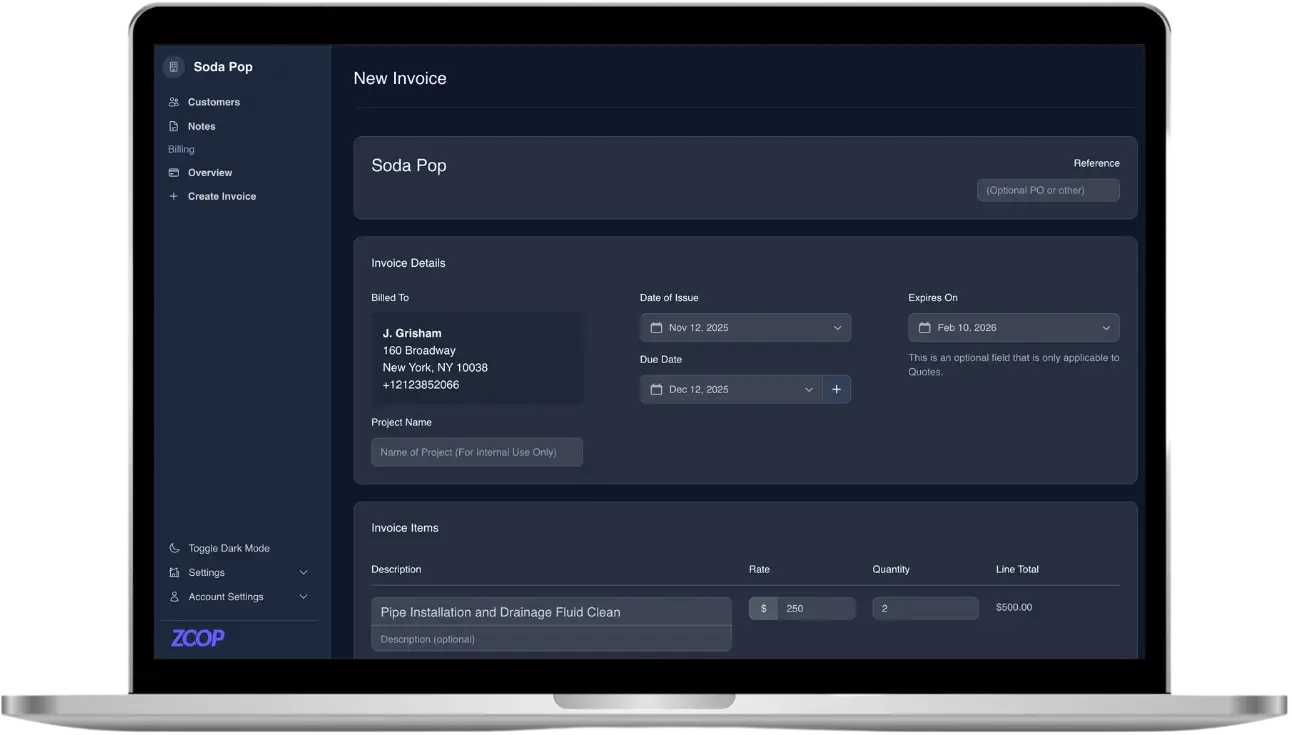
Zoop is free during beta, which takes the subscription line off the table while you figure out what your workflow needs. You get the core of an FSM platform without the per-seat math: a customer CRM, live scheduling with a day, week, and month calendar, a dispatch board, crews, and recurring job series. Invoicing pulls line items from a Pricebook, applies tax rates, sends dunning reminders, turns a quote into an invoice in one click, and supports recurring invoices and PDFs.
On payments, Zoop uses Stripe’s Payment Element, so customers can pay by card or bank/ACH, with Apple Pay and Google Pay surfaced automatically. You can send a secure, signed payment link your customer pays from their phone with no login, save cards for repeat work, set up Recurring Plans and memberships with customer-authorized auto-pay, issue refunds, and record offline payments like cash, check, Zelle, Venmo, or Cash App. There’s also a public storefront with an online booking widget, a passwordless customer portal, and a lawn measurement estimator that turns a drawn lawn into square footage and a quote. On the AI side, Zoop includes an AI receptionist and automated maintenance reminders today.
If you want to see what it costs to run your business on software that’s free during beta, start with Zoop here.