If you run a home-service business, invoicing is the part of the job that pays you. Yet most contractors still write up totals on a notepad, text a number, or wrestle with a clunky tool that charges per invoice. The good news: a free invoice app for contractors is genuinely viable in 2026. The trick is knowing which ones stay free where it counts, and which ones quietly meter you the moment you try to get paid.
This guide walks through what actually matters when you pick free invoicing software for contractors, compares the realistic options, and shows you how to send a clean invoice and collect payment without giving up your margin.
What “free” really means for contractor invoicing
Almost every invoicing tool will tell you it has a free plan. The question is where the wall is. Some cap the number of invoices you can send per month. Some lock estimates, recurring billing, or PDF export behind a paid tier. And nearly all of them charge a processing fee on card payments, which is separate from the software price.
Before you commit, check these five things:
- Invoice and client limits. Free should mean unlimited invoices, not three a month.
- Payment fees. Card and ACH processing fees are normal, but make sure they go to a real processor like Stripe and not a markup the app skims on top.
- Quotes and estimates. If you can’t send an estimate and convert it to an invoice, you’ll end up re-typing every job.
- Getting paid on mobile. Your customer should be able to pay from their phone in a couple taps, not create an account first.
- Branding and tax. Your logo, your line items, and correct tax rates on the PDF, so the invoice looks like it came from a real business.
The best free invoice apps for contractors in 2026
Here’s an honest look at the options most home-service pros are choosing this year, including where each one fits and where it falls short.
1. Wave
Wave is the long-standing free choice for solo operators. You get unlimited invoices, basic estimates, and built-in accounting at no cost, which is hard to beat if your needs are simple. The catch for contractors is that it’s an accounting-first tool. There’s no job scheduling, no dispatch, and no field-service workflow, so it sits beside the work rather than running it.
2. Zoho Invoice
Zoho Invoice is genuinely free and surprisingly capable: estimates, recurring invoices, client portal, and clean PDFs. It’s a strong pick if you’re comfortable in software and don’t mind that it lives inside the broader Zoho ecosystem. Like Wave, it’s billing-only, so the jobs themselves stay in your head or on a separate calendar.
3. Invoice Simple
Invoice Simple is the fast-and-easy mobile pick. Build an invoice on your phone at the truck, send it, done. The free tier is limited, though, so once you’re past a handful of invoices a month you’ll hit the paywall. It’s great for the occasional side-job, less so as your main system.
4. Square Invoices
Square Invoices is free to send and lets customers pay by card online. If you already use Square for in-person sales, it’s a natural fit. The trade-off is that it’s a payments product with invoicing attached, so the contractor-specific pieces (estimates that flow into jobs, recurring service plans, scheduling) are thin or missing.
5. Zoop
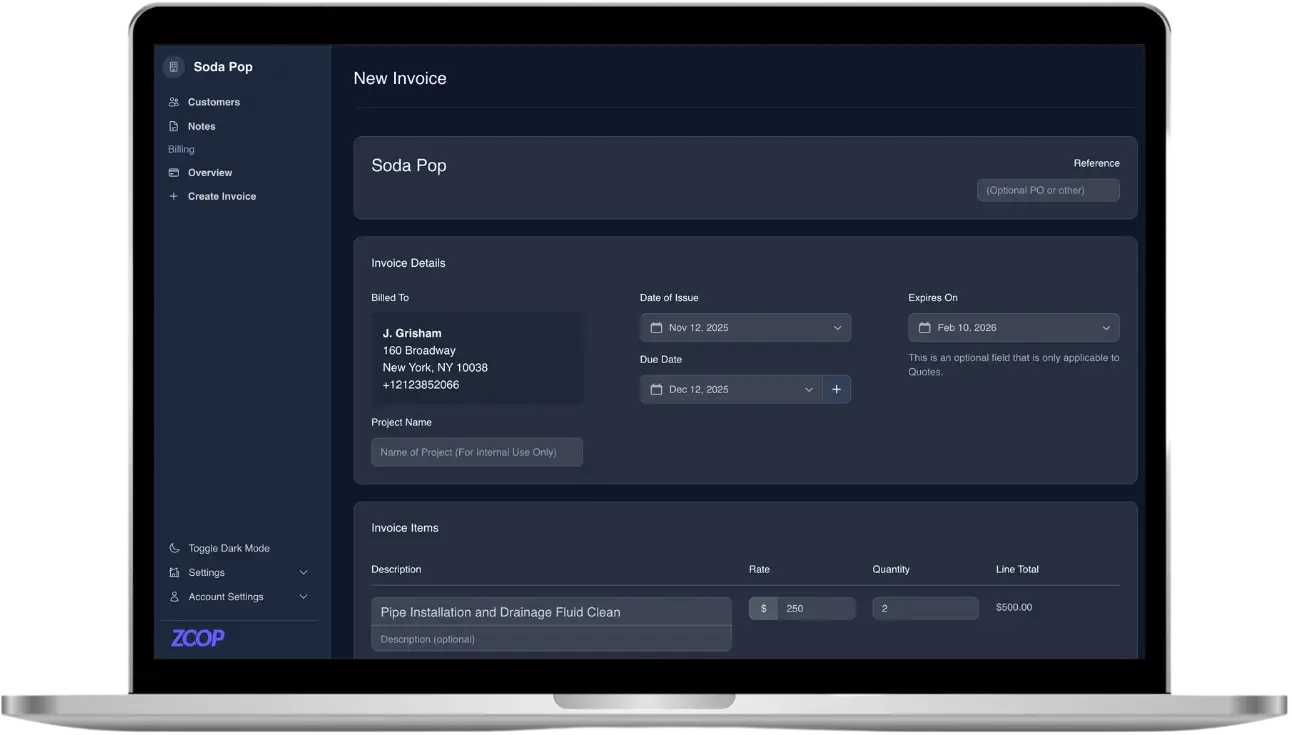
Zoop is built for home-service businesses specifically, and it’s free during beta, so invoicing, payments, and scheduling all come in one tool instead of three. You build invoices from a Pricebook with line items and tax rates, turn a quote into an invoice in one click, send recurring invoices, and let automatic dunning reminders chase down the slow payers. We’ll cover how it works at the end.
Free invoicing software vs. an all-in-one field-service tool
A standalone invoice app does one job well: it turns a finished job into a bill. That’s fine when invoicing is your only gap. But most contractors don’t just have an invoicing problem. They have a quoting problem, a scheduling problem, a chasing-late-payments problem, and a too-many-apps problem, all at once.
When your quote, your job calendar, your customer list, and your invoice live in separate apps, you re-type the same details over and over and things slip through the cracks. An all-in-one field-service tool keeps the thread intact: the estimate you sent becomes the job on the calendar, the job becomes the invoice, and the invoice becomes the payment, without copy-paste in between. If you’re growing past one-off jobs, that continuity is usually worth more than shaving a few dollars off the software line.
How to actually get paid faster
The best free invoice app in the world won’t help if the invoice sits unopened in someone’s inbox. A few habits move money faster:
- Send it the same day. The longer you wait, the colder the job feels to the customer.
- Make paying effortless. A payment link the customer opens on their phone and pays without logging in beats “mail a check” every time.
- Offer card and bank options. Some customers want a card, some prefer bank transfer (ACH) to save on fees. Give them both.
- Automate the follow-up. Polite reminders that go out on their own collect the money you’d otherwise forget to ask for.
- Put repeat customers on auto-pay. Recurring plans with authorized auto-pay turn a monthly chase into a monthly deposit.
How Zoop helps
Zoop gives home-service businesses a free invoice app and a full field-service toolkit in one place, with nothing to pay during beta. You build invoices from a Pricebook with line items, tax rates, and statuses, turn a quote into an invoice in one click, set up recurring invoices, and let automated dunning reminders follow up on unpaid bills so you don’t have to. Every invoice generates a clean, branded PDF.
On the payment side, Zoop runs on Stripe. You send a secure payment link the customer opens and pays from their phone, no account or login required, with cards or bank transfer (ACH), plus Apple Pay and Google Pay where Stripe surfaces them. Cards can be saved for next time, you can record cash, check, Zelle, Venmo, or Cash App by hand, and refunds are built in. For your regulars, recurring plans with customer-authorized auto-pay keep payments coming in automatically.
Beyond billing, scheduling is live: real jobs on a day, week, or month calendar, a dispatch board, crews, and recurring job series. You also get a Customers CRM, a passwordless customer portal, a public storefront with an online booking widget, a lawn measurement estimator that turns a drawn lawn into square footage and a quote, plus an AI receptionist and automated maintenance reminders.
Want to stop juggling apps and get paid faster? Start free during beta at https://app.zoop.pro/start.