If you run a home-service business, the right software should feel like another pair of hands. It books the job, sends the invoice, takes the payment, and reminds the customer when they are due again, all without you living inside a spreadsheet. The wrong software does the opposite: it adds steps, hides your money behind a clunky portal, and charges you a per-tech fee for the privilege. This guide walks through how to choose the best field service management software for small business in 2026, what features actually move the needle, and what you can safely ignore.
What field service management software actually does
Field service management (FSM) software is the system that runs the operational side of a service business. Instead of stitching together a calendar app, a separate invoicing tool, a payment processor, and a notebook full of customer phone numbers, an FSM platform keeps it in one place. For a lawn care crew, an HVAC tech, a cleaning company, or a handyman, that usually means four core jobs done well.
At a minimum, good field service software for small business should handle:
- Scheduling and dispatch, so jobs land on the right day with the right crew.
- Quoting and invoicing, ideally with a price list you build once and reuse.
- Payments, so customers can pay fast and you get cash without chasing checks.
- A customer record, so you know who you served, what you charged, and when they are due again.
How to compare the best FSM tools for small business
Most field service management tools claim to do everything. The way you separate the good from the bloated is to score each one against a short list of things that actually affect your day and your cash flow. Here is the checklist worth using.
1. How fast does the customer pay?
Slow payment is the silent killer of small service businesses. The best tools let the customer pay from a link on their phone with no login, accept cards and bank transfer (ACH), and surface Apple Pay and Google Pay so a tap finishes the job. If a tool forces customers to create an account before they can pay you, that is friction you cannot afford.
2. How little do you have to retype?
You should build your prices once. A pricebook means a quote becomes an invoice in a click, line items carry the right tax rate automatically, and you are not rebuilding the same estimate for the tenth driveway sealcoat this week. Quote to invoice in one step is one of the biggest time savers in the category.
3. Does it handle repeat work?
Recurring revenue is what turns a busy season into a stable business. Look for recurring job series on the calendar, recurring invoices, and memberships or service plans with customer-authorized auto-pay. If a tool treats every visit as a one-off, you will be doing manual rebooking forever.
4. What does it cost, really?
Per-technician pricing punishes you for growing. A two-person crew today might be a five-person operation next spring, and a per-seat plan turns that into a budget conversation every time you hire. Read the pricing page closely, and weigh free or flat options heavily, especially while you are still proving out the workflow.
Features that matter (and a few that do not)
Vendors love feature lists. Here is the honest cut for a small home-service business deciding on field service management software in 2026.
Worth paying attention to:
- A real calendar with day, week, and month views plus a dispatch board, so you can see the route of the day at a glance.
- Automatic invoice reminders (dunning) that nudge late payers for you, plus clean PDF invoices.
- Saved cards and reusable payment links, so a repeat customer is a two-tap transaction.
- An online booking widget on your own website, so leads can schedule themselves instead of playing phone tag.
Easy to overrate: heavy reporting dashboards you will never open, native integrations with tools you do not use, and AI features that are still on a roadmap rather than in the product. A flashy demo of something that ships next year does not help you collect this week. Judge tools on what works today.
Common mistakes when choosing FSM software
The most expensive mistake is buying for the business you imagine instead of the one you run. Enterprise field service platforms are built for fleets of 50 trucks, and their complexity will slow a two-person crew to a crawl. Pick the tool that fits your size.
The second mistake is ignoring how you get paid. Some tools bolt on payments as an afterthought, with high fees or slow payouts. Since payments are the whole reason you do the work, treat the payment experience as a top-three factor, not a footnote. Make sure the platform records offline payments too, because cash, checks, Zelle, Venmo, and Cash App are still how a lot of your customers settle up, and your books need to reflect all of it.
The third mistake is locking in before you have run a real job through the system. Book a test appointment, send yourself a quote, convert it to an invoice, and pay it. If any step feels awkward to you, it will feel ten times worse to a customer.
How Zoop helps
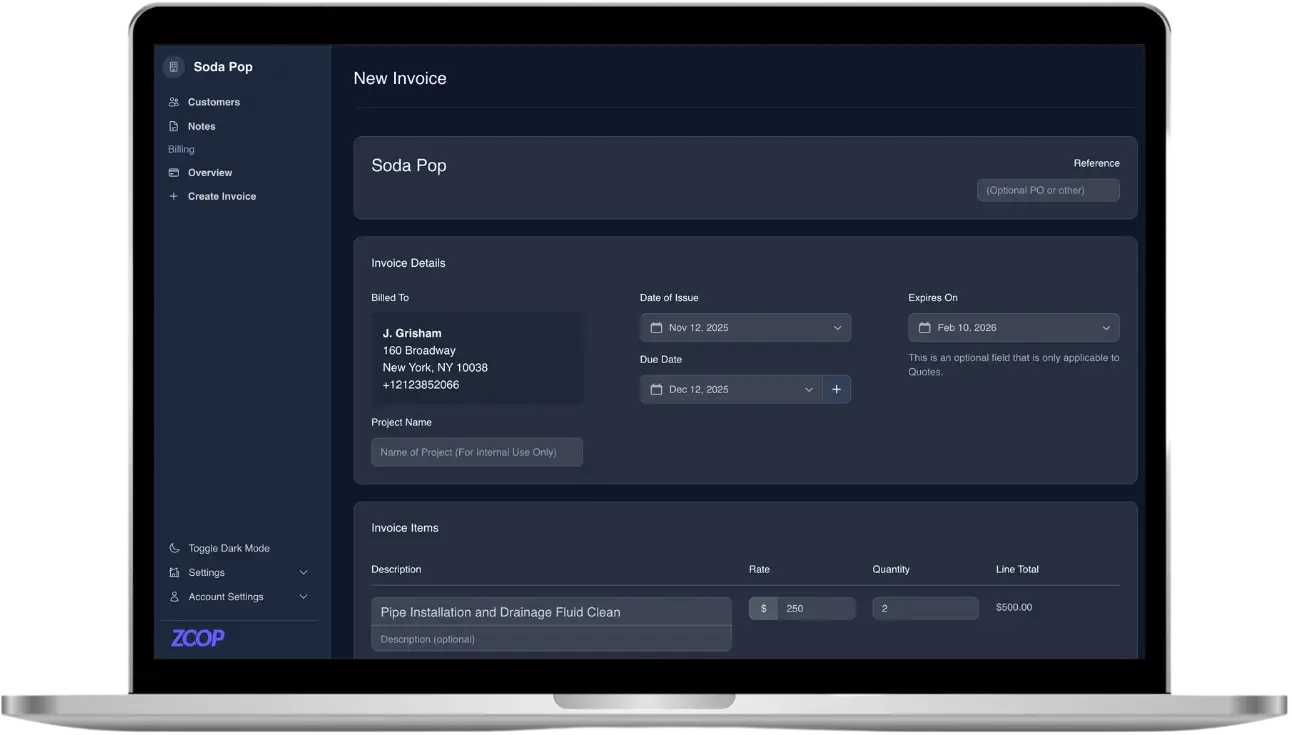
Zoop is field service management software built for small home-service businesses, and it covers the four jobs above in one place. Scheduling is live today: you get a day, week, and month calendar, a dispatch board, crews, and recurring job series for the customers you see every month. Quotes turn into invoices in one click, line items pull from a Pricebook with the right tax rates, and recurring invoices plus automatic dunning reminders chase the late ones so you do not have to.
On payments, Zoop sends a secure signed payment link the customer opens on their phone with no login. They can pay by card or bank transfer (ACH), and Apple Pay and Google Pay are surfaced through Stripe for a one-tap finish. You can save cards for repeat work, send reusable or open-amount links, issue refunds, and record offline payments like cash, check, Zelle, Venmo, and Cash App so every dollar is accounted for. Stripe Connect handles your onboarding so payouts land in your bank.
Around that core, Zoop gives you a Customers CRM, a passwordless customer portal, recurring membership plans with customer-authorized auto-pay, and a public storefront with an online booking widget so leads can schedule themselves. Lawn pros get a measurement estimator that lets you draw a lawn, get the square footage, and turn it into a quote. On the AI side today, Zoop includes an AI receptionist and automated maintenance reminders that bring repeat customers back without a manual nudge.
Zoop is free during beta, so you can run a real job through it end to end before you commit to anything. Start at https://app.zoop.pro/start.