If you run a lawn care, cleaning, HVAC, plumbing, or handyman business, you’ve almost certainly hit the Jobber vs Housecall Pro decision. They’re the two best-known field service management platforms for the trades, and on the surface they do the same jobs: scheduling, invoicing, payments, and a customer database. The differences show up in the pricing tiers, the payment processing fees, and which features get gated behind the more expensive plans.
This guide breaks down how the two compare so you can pick the right one, and where each tends to get expensive as you add crew. Prices change, so confirm the current numbers on each vendor’s site before you commit, but the structure below is stable enough to plan around.
How Jobber and Housecall Pro price their plans
Both platforms use tiered monthly subscriptions, and both are cheaper if you pay annually. The first thing to understand is how each one counts users, because that’s where the bills diverge as you grow.
Jobber prices by seat. Lower tiers cap the number of users (the entry plan is often a single user), and you step up to a higher tier to add team members. The features you care about, like quote follow-ups, online booking, and two-way texting, are spread across the tiers, so the feature you need can pull you into a more expensive plan even if your headcount is small.
Housecall Pro also tiers by features, and its higher plans are priced per additional user above the included count. Its entry plan is built around a single user, the mid tier bumps the included users and unlocks things like QuickBooks sync, and the top tier adds advanced reporting and more seats. As with Jobber, the feature gating matters as much as the headline price.
The practical takeaway: don’t compare the lowest advertised price of each. Compare the specific plan that includes the features you actually need at the crew size you actually run. That’s usually a mid tier on both, and the gap between them narrows once you do that math.
Payment processing fees: the cost that never shows up in the plan price
Your monthly subscription is the part you see. The processing fee on every card and bank payment is the part that quietly adds up. Both Jobber and Housecall Pro have their own built-in payments, and both charge a percentage on each transaction on top of your plan.
Card-present and keyed-in rates differ from online or invoice-link rates on both platforms, and ACH bank payments are typically cheaper than cards. A few things to check before you pick:
- The exact card rate for invoice and online payments, not just the in-person rate they advertise.
- Whether ACH is available and what it costs, since bank payments on large invoices save real money over cards.
- How fast you get paid out, and whether instant payout carries an extra fee.
- Whether you can bring your own processor or are locked into theirs.
On a business doing thirty grand a month through cards, even a half-percent difference in rate is a few thousand dollars a year. That can outweigh the subscription difference entirely, so weigh fees and plan price together rather than separately.
Scheduling and dispatch
Both handle the core scheduling workflow well: a calendar, drag-and-drop dispatch, job assignment to crew, and recurring jobs for maintenance accounts. Housecall Pro leans into a dispatch-board feel and is popular with shops that run several techs out the door each morning. Jobber’s calendar and routing are clean and tend to get praise from owners who schedule themselves rather than a dedicated dispatcher.
If recurring work is your bread and butter (lawn routes, pool service, regular cleans), test how each one handles recurring series and how easily you can shift a whole route when it rains. That’s the workflow you’ll touch every single day, so it matters more than the feature checklist.
Quotes, invoicing, and getting paid
Quote-to-invoice flow is strong on both. You build a quote, the customer approves it, and it converts to a job and then an invoice. Both send automated payment reminders and let customers pay from a link. Jobber has a reputation for polished client communication; Housecall Pro is often credited with a smooth consumer-facing booking and payment experience. Differences here are real but small, and either will beat paper invoices and end-of-month chasing by a mile.
Where it gets stickier is integrations. If you run your books in QuickBooks, check which plan includes the sync, since it’s often gated to a mid or higher tier on both platforms.
Jobber vs Housecall Pro: which should you pick?
There’s no universal winner. Pick based on how you actually work:
- Lean toward Jobber if you’re an owner-operator or small crew who values tidy client communication, quoting, and a calendar you manage yourself.
- Lean toward Housecall Pro if you dispatch multiple techs daily and want a strong consumer booking and payment experience out of the box.
- Either way, price the specific plan with your must-have features at your real crew size, then add the processing fees on your typical monthly card volume. That combined number is the true cost.
Run both trials with a few real jobs, quotes, and invoices before you commit. The software that feels right after a week of actual work is almost always the one to keep.
How Zoop helps
If both options feel like a lot to pay for features you’ll grow into, Zoop is a third path built for small home-service businesses, and it’s free during beta. Scheduling is live: jobs, a day, week, and month calendar, a dispatch board, crews, and recurring job series for your maintenance routes. On the money side, you send secure payment links the customer pays from their phone with no login, accept cards and bank/ACH through Stripe, and surface Apple Pay and Google Pay. Saved cards, refunds, and offline recording of cash, check, Zelle, Venmo, and Cash App are all there.
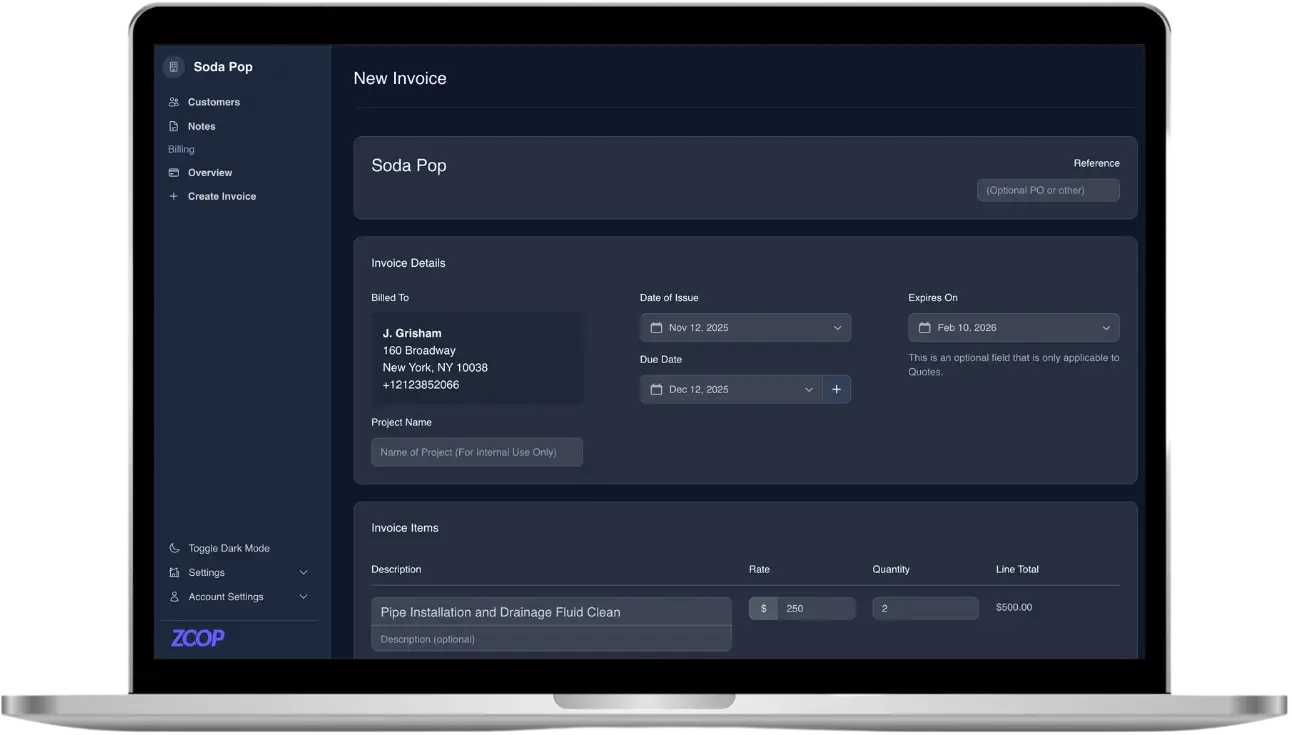
Invoicing pulls line items from a Pricebook, applies tax rates, sends dunning reminders, generates PDFs, and turns a quote into an invoice in one click, with recurring invoices for repeat work. You also get recurring membership plans with customer-authorized auto-pay, a passwordless customer portal, a CRM, a public storefront with an online booking widget, and a lawn measurement estimator that turns a drawn lawn into square footage and a quote. The AI receptionist and automated maintenance reminders handle the front desk while you’re on a job.
Want to compare it against your Jobber or Housecall Pro shortlist? Start free during beta at https://app.zoop.pro/start.