You finished the job two weeks ago. The work was clean, the customer was happy, and the invoice is still sitting in their inbox unpaid. If that sounds familiar, you’re not bad at your trade. You’re just bad at collecting, and that’s a fixable problem.
Cash flow is what kills small home-service businesses, not lack of work. This guide walks through how to get paid faster as a contractor by tightening the gap between finishing a job and money landing in your account. None of it requires a bookkeeper or a finance degree, just a few changes to how you invoice, how you take payment, and how you follow up.
Why Contractors Get Paid Slowly
Slow payment is almost never one big problem. It’s a stack of small ones that each add a few days. Add them up and a 5-day invoice becomes a 45-day headache.
- The invoice goes out days after the work is done, when the customer has already moved on.
- The only payment option is a check, so the customer waits until they’re near a checkbook and a stamp.
- There’s no clear due date, so the invoice has no urgency.
- Nobody follows up, because chasing money is awkward and you’re already on the next job.
Fix those four things and most of your accounts-receivable problem disappears. Here’s how.
1. Invoice On-Site, Not From the Truck Later
The single biggest lever for getting paid faster is shrinking the time between finishing the work and sending the bill. Every day you wait is a day the customer’s enthusiasm cools and your invoice slides down their priority list.
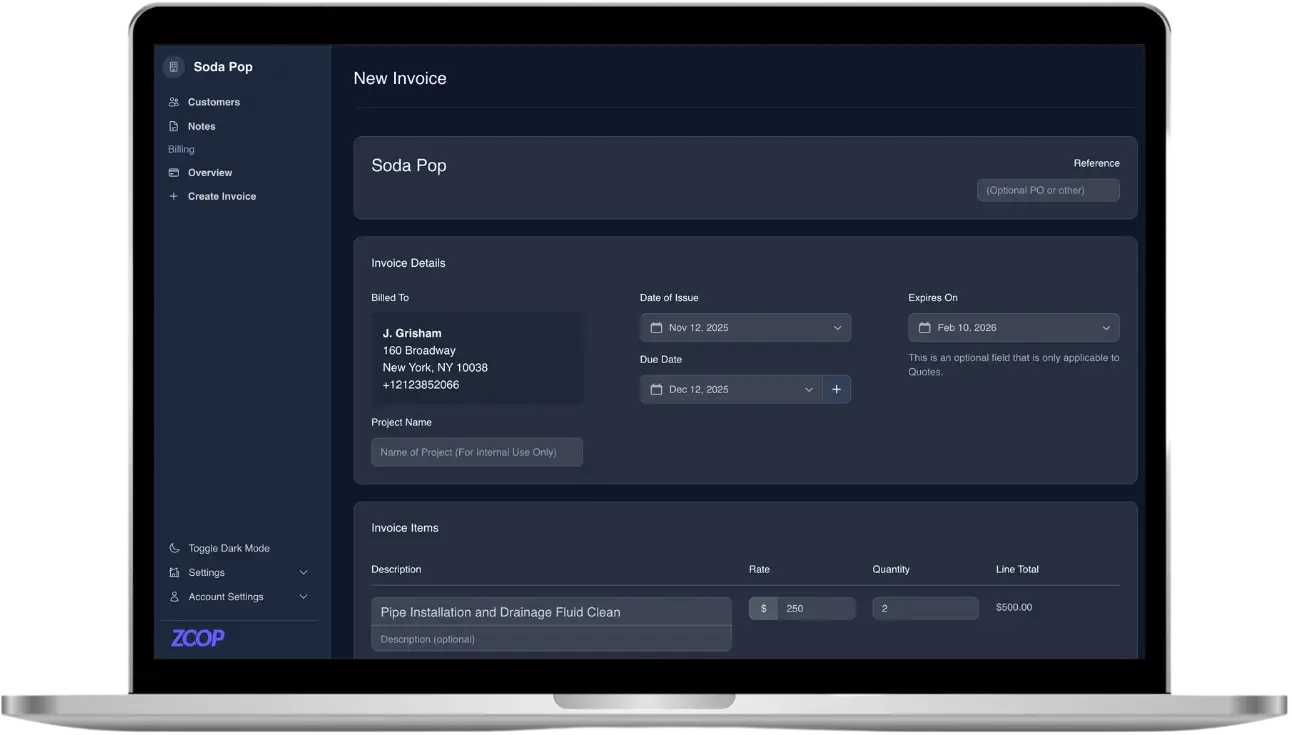
Send the invoice before you leave the driveway. When you bill while the customer is still standing in front of the finished work, payment feels like the natural next step instead of a chore they’ll deal with later. Pull line items from a saved price list so you’re not doing math on a clipboard, set the tax rate once, and hit send. If you already wrote a quote, turning that quote into an invoice should take one click, not a rebuild.
2. Offer the Payment Methods People Actually Use
If the only way to pay you is a paper check, you’ve built a delay into every job. The faster a customer can pay, the faster you get paid. That means meeting them where they already are: their phone.
The most reliable approach for contractors is a secure payment link. You send a link, the customer taps it, and they pay from their phone with a card or a bank transfer (ACH). No app to download, no account to create, no login. Apple Pay and Google Pay show up automatically for customers whose phones support them, so a lot of people can pay in two taps. For repeat customers, a saved card means the next job can be charged without sending anything at all.
Cards cost a small processing fee, but the math usually works in your favor: a 3% fee on an invoice paid today beats a free check that takes a month and three phone calls to collect. Keep cash, check, Zelle, Venmo, and Cash App available for the customers who prefer them, and record those payments so your books stay accurate, but make the fast digital option the default you lead with.
3. Set Clear Terms and a Real Due Date
“Net 30” with no due date on the invoice tells the customer they have all the time in the world. Put an explicit due date on every invoice and state your terms up front, ideally on the quote, so payment timing is never a surprise.
For bigger jobs, ask for a deposit before work starts. A 30 to 50 percent deposit covers your materials, weeds out tire-kickers, and means you’re never fully exposed if a customer goes quiet. A reusable payment link with an open amount makes collecting a deposit as easy as texting them a URL.
4. Automate the Follow-Up So You Stop Chasing
Most unpaid invoices aren’t refusals. They’re forgotten. The customer meant to pay, got busy, and the bill fell off their radar. The problem is that the reminder usually falls on you, and chasing money is the last thing you want to do after a long day.
Automated reminders fix this. Set up a polite sequence that nudges the customer when an invoice is due and again if it goes past due (this is sometimes called dunning). The reminders go out on schedule without you lifting a finger, and because they’re automatic, they never feel personal or confrontational. You collect more, and you never have to make the awkward call.
5. Put Recurring Revenue on Autopilot
If you do any repeat work (lawn care, pool service, monthly maintenance, seasonal plans), invoicing for it one job at a time is leaving speed on the table. Set up recurring invoices so the bill generates itself on the right schedule. Better still, offer a membership or maintenance plan with customer-authorized auto-pay: the customer approves the charge once, and every cycle after that collects automatically. That’s the fastest payment there is, because there’s no invoice to send, no link to tap, and no reminder to chase.
A Simple Get-Paid-Faster Checklist
- Send the invoice before you leave the job, not that night.
- Lead with a phone-friendly payment link; keep cash and check as backups.
- Put a real due date on every invoice and take deposits on big jobs.
- Let automated reminders do the chasing for you.
- Move repeat customers onto recurring billing or auto-pay memberships.
None of this is complicated. It’s just a series of small habits that, together, turn a 45-day collection cycle into a same-day one. Do the work, send the bill while you’re there, and make it stupidly easy to pay you.
How Zoop Helps
Zoop is built to close the gap between finishing a job and getting paid. You can build invoices from a Pricebook with tax rates and line items, turn a quote into an invoice in one click, and send a secure payment link the customer pays from their phone with a card or bank transfer, with Apple Pay and Google Pay surfaced automatically and no login required. Saved cards, reusable and open-amount links, deposits, refunds, and offline recording for cash, check, Zelle, Venmo, and Cash App are all there. Automated dunning reminders chase unpaid invoices for you, recurring invoices and auto-pay memberships handle your repeat customers, and live scheduling with a calendar and dispatch board keeps the jobs that generate those invoices organized.
Zoop is free during beta. Start getting paid faster at https://app.zoop.pro/start.