If you run a lawn care route, a plumbing shop, an HVAC crew, or a cleaning business, your day already runs on a hundred small handoffs: the call that comes in, the quote you scribble on a notepad, the job you slot between two others, the invoice you forget to send, and the customer who still owes you from last month. Field service management software exists to put all of that in one place so things stop falling through the cracks.
This guide explains what field service management software actually is, the core jobs it handles, the signs you’ve outgrown a notebook and a text thread, and how to figure out whether you need it yet.
What is field service management software?
Field service management software (often shortened to FSM software) is a tool that helps a business coordinate work performed away from a fixed office, out at the customer’s home or property. Instead of juggling a calendar app, a paper invoice book, a payment app, and a spreadsheet of customers, you get one system that connects scheduling, dispatch, customer records, quoting, invoicing, and payments.
The term covers a lot of ground, but for a small home-service business the heart of it is simple: a job comes in, you put it on the calendar, you send a crew, you bill the customer, and you get paid. FSM software is what makes that loop fast and repeatable instead of something you rebuild from scratch every week.
The core jobs FSM software handles
Good field service management software tends to cover the same handful of functions. Here’s what to look for:
- Scheduling and dispatch. A day, week, and month calendar plus a dispatch board so you can see who’s working, assign jobs to crews, and set up recurring job series for accounts you service on a cycle.
- A customer database (CRM). One record per customer with their address, history, and contact info, so you’re not searching old texts to remember what you did last time.
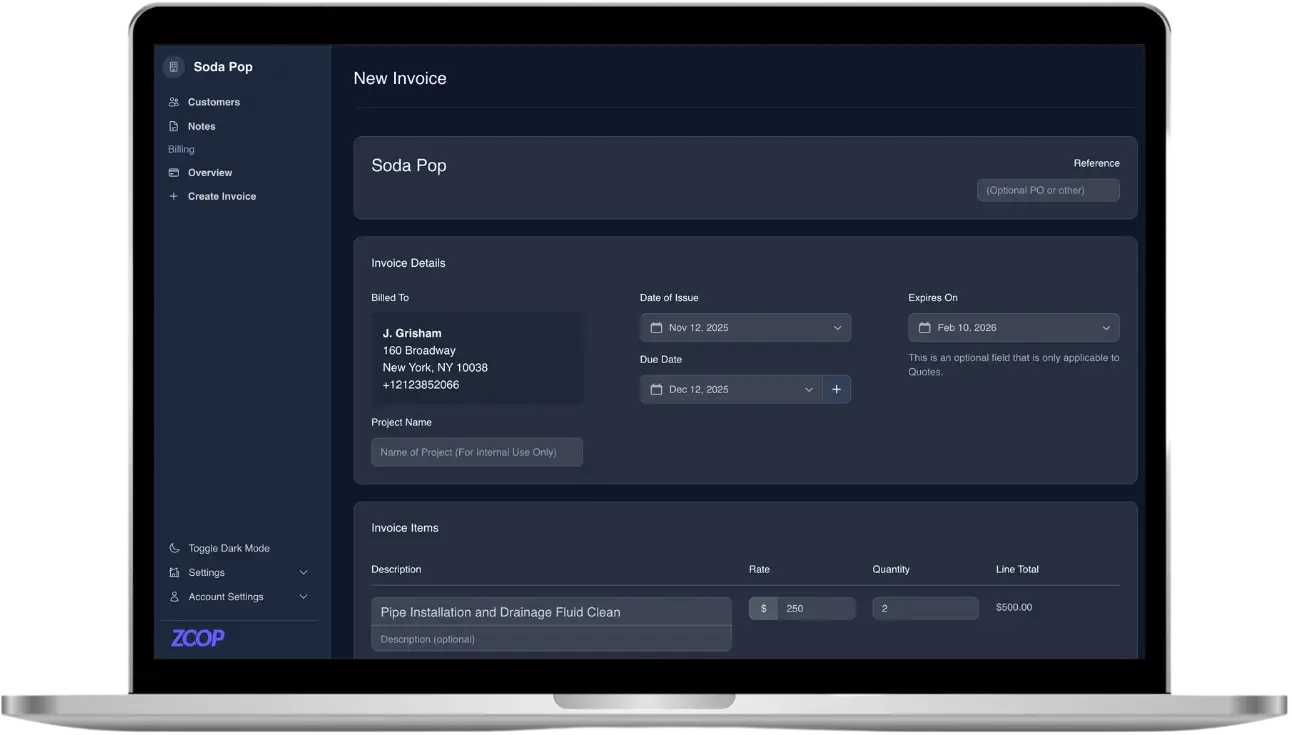
- Quoting and invoicing. Build estimates from a price list, turn a quote into an invoice in one click, add tax rates, and send a professional PDF instead of a handwritten total.
- Payments. Let customers pay by card or bank transfer, save a card for next time, and chase down the ones who haven’t paid yet with automatic reminders.
- Online booking. A way for new customers to find you and request work without a phone call, which matters more every year.
Some platforms add memberships and recurring billing, customer portals, and AI tools on top of that base. The base, though, is what separates real field service management software from a generic calendar or invoicing app.
Signs you need field service management software
Plenty of one-person operations run fine on a phone and a notebook for a while. The question isn’t whether the old way works at all, it’s whether it’s quietly costing you money and evenings. A few honest signals that it’s time:
- You’ve double-booked a slot or driven to the wrong address because the schedule lives in two places.
- Invoices go out late, or not at all, because you’re too busy doing the work to do the paperwork at night.
- You’re owed money you can’t easily track, and asking for it feels awkward without a system doing the reminding.
- You’re adding a second truck or a helper and realizing the whole business is in your head.
- Customers ask to pay by card or book online, and you don’t have a clean way to say yes.
If two or three of those sound familiar, the tool will likely pay for itself in recovered hours and faster payments. If none of them do, you may not need it yet, and that’s a fine answer.
What FSM software is not
It helps to be clear about the edges. Field service management software is not full accounting software, though good FSM tools export the numbers your bookkeeper needs. It’s not a marketing platform, though an online booking page and a public storefront overlap with marketing. And it’s not a magic fix for a disorganized business. If the underlying process is a mess, software speeds up the mess. The value shows up when you use it to standardize how a job goes from request to paid.
How to choose the right tool
When you compare field service management software, weigh it against your real workflow, not a feature checklist. A few practical questions worth asking:
- Can I get a quote, a scheduled job, an invoice, and a payment done in the tool without leaving it? Disconnected steps are where time leaks.
- How does the customer experience it? Paying should be a tap on their phone, not a login and a password reset.
- Does it fit my trade? A lawn business needs different things from an electrician. Recurring service and a way to estimate by property size matter for some, not others.
- What’s the real cost? Watch for per-seat pricing and payment processing fees that stack up as you grow.
How Zoop helps
Zoop is field service management software built for small home-service businesses, and it covers the full loop in one place. You schedule jobs on a day, week, or month calendar, run a dispatch board, assign crews, and set up recurring job series for accounts you service on a cycle. You keep customers in a built-in CRM, build quotes from a Pricebook, and turn a quote into an invoice in one click with line items, tax rates, dunning reminders, and PDFs.
Getting paid is the easy part. Zoop sends a secure signed payment link the customer opens on their phone with no login, and they can pay by card or bank transfer (ACH), with Apple Pay and Google Pay surfaced by Stripe. You can save a card for next time, set up recurring plans and memberships with customer-authorized auto-pay, issue refunds, and record offline payments like cash, check, Zelle, Venmo, or Cash App when someone pays you in person.
Beyond the basics, Zoop gives you a passwordless customer portal, a public storefront with an online booking widget, a lawn measurement estimator that turns a drawn property into square footage and a quote, an AI receptionist, and automated maintenance reminders so repeat work books itself.
Zoop is free during beta. If you’re ready to stop running your business out of a notebook, start at https://app.zoop.pro/start.